


Page 112 - LIMBA_1 MINISTRY_PROMO
P. 112
6 CLIL (ICT)

    Video How to print MANY photos from an email at once

           We all receive messages from our friends by text, on social media or by
          email. Sometimes our friends send us pictures in an email and we want
           to print them. It’s easy to create a poster with these pictures and

                                   print it. Just follow this guide!

        1 Open the email and use your mouse to right-click on a picture.
              Choose ‘Copy’ from the menu that appears on the screen.

        2 Open a new word document. Right-click with the mouse again
              and choose ‘Paste’.The picture appears in your word document.

        3 Repeat steps 1 and 2 until you have got all the pictures you want in your word document.

        4 Now, you can move the pictures around the page and make them big or small. Just click
              on each picture and use the mouse to make the changes.

        5 When you’re happy with your design, save your word document to your computer. Click on
              ‘File’ and ‘Save As ...’ . Decide where you want to store the file and what you want to call it.

        6 To print your photos, click on ‘File’ again and choose ‘Print’. Watch as your pictures come
              out of the printer.

                         Reading

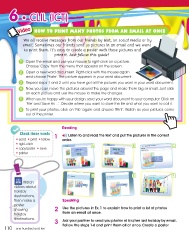
 1Check these words           Listen to and read the text and put the pictures in the correct
                         order.
• send • print • follow

• right-click                     A BC
• copy/paste • save

• printer

               Watch                                    D EF
        videos about
        holiday                Speaking
        destinations,
        then make a      2 Use the pictures in Ex. 1 to explain how to print a lot of photos
        poster                 from an email at once.
        showing
        holiday          3 Ask your partner to send you photos of his/her last holiday by email.
        destinations.          Follow the steps 1-6 and print them all at once. Create a poster.

110 one hundred and ten

